Showing posts with label Computers. Show all posts

June 5, 2009

Content Management System

Say you have a website and want to expand your business.Wouldn't you want perspective clients to preview your products on your website.You will probably spend days working on the site design.Wouldn't this time be better in ironing out bugs and adding even more features to your software.Now let assume that you can't afford to hire a web designing company then now what else you can do.Now for all these problems here is a solution the Content Management System or CMS.According to wikipedia,"a content management system is sometimes a web appplication used for managing websites and web content though in many cases content management systems require special client software for editing and constructing articles."

Simply put,a CMS is an application that makes developing websites that much easier.All you will ever need to do is upload and install the CMS on your server.It is not only cheaper but also saves your time ,that can be spent giving the killer edge to your software.

February 21, 2009

Review on Web Hosting Site

As all we know that today their exists a lot of web hosting websites on the internet and to select best of them for your webiste is really a tough task.Few days ago I visited a website webhostingchoice.com that provides you a list of some top web hosting companies.This website not only provides you list of these web hosting websites but also provides you details of each and every one so that you can select any of these as per your website requirement.This websites also guides you in selecting webhosting company for your website.Now,it doesn't matter whether your website is personal or business related,small or big they provides you complete solution of each and every hosting problem.The web hosting companies that are included in their top 10 list of web hosting companies provides you their web hosting services at such a low cost so that you can easily afford them.If you are new to web hosting then also you can refer their website because they provides you their quick start guide with the help of which you can easily develop your website.

February 18, 2009

Blu-ray Disc

Blue Ray Disc is an optical storage device that is used to store high quality video definition.This disc is developed by the Blu-ray Disc Association, a group of companies representing consumer electronics, computer hardware, and motion picture production.The name that is given to this optical storage device has a logic behind it,because this device uses blue-violet laser used to read and write data.This disc has the same dimensions as the DVD or CD.The storage capacity of dual layer Blu-Ray disc is about 50 GB that is much higher than the capacity of dual layer DVD.The Blu-ray Disc format is not compatible with other next-generation optical storage medium, HD-DVD.

February 17, 2009

Multiplex

A general concept that refers to combining independent sources of information into a form that can be transmitted over a single communication channel.Multiplexing can occur both in hardware(i.e electrical signals can be multiplexed) and in software (i.e protocol software can accept messages sent by multiple application programs and send them over single network to different destination).

Social Bookmarking

Social bookmarking is a technique by which one can share their favorite web pages or bookmarks with the other users.All these web pages and bookmarks are submitted on any public forum so that others can express their views and put their comments on these web pages link.This is the most common way in which an user can express their interests to their peers. Sometimes bookmarking is also known as the social network, which exists online, it refers to “taxonomy" of knowledge organized by ordinary "folks."In other words we can also say that regular people like you and I are building networks of knowledge based on common interests by combining "what they know" with "who they know."

February 15, 2009

Dialup Connections and POP

As all we know that POP(Post Office Protocol) service is used for receiving mil form the POP server.POP is especially popular among the users who rely on dial up telephone connections .In such a cases, a computer with user’s mailbox remains attached to the internet.However the user computer does not need a permanent Internet Connection.Instead,the computer can attach to a modem and use a telephone connection.To receive e-mail,the users forms a dialup connection either to the mailbox computer or to some other computer on the internet.Once the user connects to a computer on the internet,the user cn run a POP client to contact the server and access e-mail.

The Client-Server Paradigm

The paradigm of arranging for one application program to wait passively for another application to initiate communication pervades so much of distributed computing that it has been given a name :the client server paradigm of interaction.The terms client and server refers to two application involved in communication.The application that actively initiates contact is called client,while the application that passively waits for contact is called server.In short we can say that Network application use a form of communication known as client server paradigm.A server application waits passively for contact,while a client application initiates communication actively.

February 13, 2009

Hypertext and Hypermedia

Technically,the web is a distributed hypermedia system that supports interactive access.The term hypermedia is used to distinguish the web from a traditional hypertext system which restricts documents to textual format,the web allows documents to contain digitized photographic images or graphics.The term distributed which implies that the web spans multiple computers,has an important consequence.that is links among Web document are not guaranteed to remain valid and consistent.

Memory Stick

A Memory Stick is an IC (Integrated Circuit) which is stored in a compact and rugged plastic enclosure. Memory Sticks are designed to store data and to enable the transfer of data between devices equipped with Memory Stick slots.Memory Stick is a removable flash memory card format, launched by Sony in October 1998 and is also used in general to describe the whole family of Memory Sticks.

Understanding Bluetooth

Bluetooth is a new and global standard for wireless connectivity.This protocol is based on low cost,short range radio link.The radio frequency used by Bluetooth is globally available.When two bluetooth equipped devices come within 10 meters of each other ,they can establish a connection.Since bluetooth uses a radio based link,it doesn't require a line of sight connection in order to communicate.For ex: Your laptop could send information to a printer in the next room,or your Microwave ovan could send a message to your cordless phone telling you that your meal is ready.In the future,Bluetooth is likely to be standard in tens of millions of mobile phones,PCs laptops and a whole range of other electronic devices.

December 17, 2008

What is Trojan Horse?

Trojan Horse:Remember the Trojan Horse? Bad guys hid inside it until they could get into the city to do their evil deed. A trojan computer program is similar. It is a program which does an unauthorized function, hidden inside an authorized program. It does something other than what it claims to do, usually something malicious (although not necessarily!), and it is intended by the author to do whatever it does. If it's not intentional, its called a 'bug' or, in some cases, a feature :) Some virus scanning programs detect some trojans. Some virus scanning programs don't detect any trojans. No virus scanners detect all trojans.

September 30, 2008

Increase your WIN XP speed

Hello friends in this and the next two post i am going to give you tips following on which you can increase your WIN XP speed.

Since defragmenting the disk won't do much to improve Windows XP performance, here are 23 suggestions that will. Each can enhance the performance and reliability of your customers' PCs. Best of all, most of them will cost you nothing.

1.) To decrease a system's boot time and increase system performance, use the money you save by not buying defragmentation software -- the built-in Windows defragmenter works just fine -- and instead equip the computer with an Ultra-133 or Serial ATA hard drive with 8-MB cache buffer.

2.) If a PC has less than 512 MB of RAM, add more memory. This is a relatively inexpensive and easy upgrade that can dramatically improve system performance.
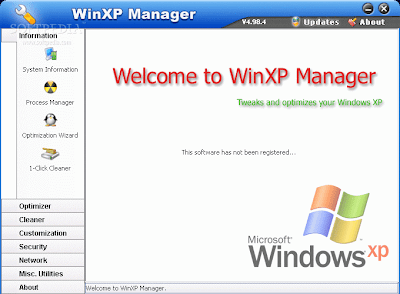
3.) Ensure that Windows XP is utilizing the NTFS file system. If you're not sure, here's how to check: First, double-click the My Computer icon, right-click on the C: Drive, then select Properties. Next, examine the File System type; if it says FAT32, then back-up any important data. Next, click Start, click Run, type CMD, and then click OK. At the prompt, type CONVERT C: /FS:NTFS and press the Enter key. This process may take a while; it's important that the computer be uninterrupted and virus-free. The file system used by the bootable drive will be either FAT32 or NTFS. I highly recommend NTFS for its superior security, reliability, and efficiency with larger disk drives.

4.) Disable file indexing. The indexing service extracts information from documents and other files on the hard drive and creates a "searchable keyword index." As you can imagine, this process can be quite taxing on any system.The idea is that the user can search for a word, phrase, or property inside a document, should they have hundreds or thousands of documents and not know the file name of the document they want. Windows XP's built-in search functionality can still perform these kinds of searches without the Indexing service. It just takes longer. The OS has to open each file at the time of the request to help find what the user is looking for.

Most people never need this feature of search. Those who do are typically in a large corporate environment where thousands of documents are located on at least one server. But if you're a typical system builder, most of your clients are small and medium businesses. And if your clients have no need for this search feature, I recommend disabling it.

Here's how: First, double-click the My Computer icon. Next, right-click on the C: Drive, then select Properties. Uncheck "Allow Indexing Service to index this disk for fast file searching." Next, apply changes to "C: subfolders and files," and click OK. If a warning or error message appears (such as "Access is denied"), click the Ignore All button.
5.) Update the PC's video and motherboard chipset drivers. Also, update and configure the BIOS. For more information on how to configure your BIOS properly, see this article on my site.

6.) Empty the Windows Prefetch folder every three months or so. Windows XP can "prefetch" portions of data and applications that are used frequently. This makes processes appear to load faster when called upon by the user. That's fine. But over time, the prefetch folder may become overloaded with references to files and applications no longer in use. When that happens, Windows XP is wasting time, and slowing system performance, by pre-loading them. Nothing critical is in this folder, and the entire contents are safe to delete.

7.) Once a month, run a disk cleanup. Here's how: Double-click the My Computer icon. Then right-click on the C: drive and select Properties. Click the Disk Cleanup button -- it's just to the right of the Capacity pie graph -- and delete all temporary files.
8.) In your Device Manager, double-click on the IDE ATA/ATAPI Controllers device, and ensure that DMA is enabled for each drive you have connected to the Primary and Secondary controller. Do this by double-clicking on Primary IDE Channel. Then click the Advanced Settings tab. Ensure the Transfer Mode is set to "DMA if available" for both Device 0 and Device 1. Then repeat this process with the Secondary IDE Channel.

In the next post i will give you some more tips for increasing your WIN XP speed.

September 15, 2008

World's Fastest SuperComputer

Now IBM is going to launch its fastest supercomputer that can execute more than 1 trillion instructions per second in a sustained exercise.This supercomputer is a joint project of engineers from the Los Alamos National Laboratory and IBM Corp.The IBM and Los Alamos engineers worked six years on the computer technology. Scientists unveiled the world's fastest supercomputer on Monday 11th August, a $100 million machine. The IBM declared the name of this supercomputer i.e "Roadrunner", which is twice as fast as IBM's Blue Gene system at Lawrence Livermore National Laboratory, which itself is three times faster than any of the world's other supercomputers, according to IBM.The main motive behind the development of this supercomputer is primarily used on nuclear weapons work, including simulating nuclear explosions. An official of the National Nuclear Security Administration said "The computer is a speed demon. It will allow us to solve tremendous problems.


The main aim of this organization is to versees nuclear weapons research and maintains the warhead stockpile.In addition to this,the computer also could have a wide range of other applications in civilian engineering, medicine and science, from developing biofuels and designing more fuel-efficient cars to finding drug therapies and providing services to the financial industry.If we take a look at the physical aspects of this supercomputer then system occupies 6,000 square feet with 57 miles of fiber optics and weighs 500,000 pounds. Although made from commercial parts, the computer consists of 6,948 dual-core computer chips and 12,960 cell engines, and it has 80 terabytes of memory housed in 288 connected refrigerator-sized racks.The overall cost of this is system is $100 million.

September 14, 2008

Get the buzz on your local business

Today you see a lot of people that are in search of a website that can provide them full information of any thing that they need in their daily life like restaurants, schools,doctors,plumbers,lawyers etc.For this you found different sources on internet that provide you this facility and in this situation it is really difficult for a new user to select which website for its requirements.Now i am going to introduce a website buzzhub.com that is well known for its quality results when you search something on it.

You can also say this website as a business internet directory because it provides you a complete business listing of all the business exists in your local town and also a detailed information about them so that you can easily connect to any of these businesses.With the help of their unique search engine you can found out all the facilities that are available in your town or in different cities like New York,New Jersey,Pennsylvania or any other city.

You can also say this website as Yellow Pages,as in yellow pages you found all the information of any thing that you want similarly this website also provides you a complete information of any thing that you want.In addition to this they also provide you a list of top searches that most of the people search on their website.This website provides you all these facilities absolutely free,for availing all these facilities you had to just sign up with them and after that you can completely utilize their facility.

September 9, 2008

The 45nm effect

As all we know chips are the most important circuitry part of processors and processor speed is also depends on the size of the chips.In recent years chip making technology has been moved from 90nm to 65nm,but today it moved up to 45nm.The worlds largest processor making company Intel is shrinking chip sizes like never before.Intel has invested $1.5 billion in this project.Intel's 45nm chip is believed to be smaller,faster,and more power efficient than all its predecessors. The "45nm effect" implies that by using nano technology size of the chips can be reduced up to 45nm.

Hence, in order to reduce the chip size we have to reduce the transistor size,but as the transistor get thinner,electrical leakage takes place in the transistors.Hence while shrinking the size of the silicon-di-oxide gate dielectric,transistor gate leakage was one of the most difficult technical challenges that industry faced. To get rid of this problem,Intel has developed a hafnium-based material with the high k property (where k is the dielectric constant of the material),which helps deliver transistors with very low leakage current and high performance.Reducing power leakage and improving performance are the most important features of Intel project.The company's most advanced manufacturing technology today is 65nm,which went into commercial production last year.In the current stage Intel has about fifteen 45nm product design in various stages of development.

The resulting chips that are formed after "45 nm" technology will have 820 millions transistors to put in for parallel computing,energy management and graphics.Today market is still waiting for applications of this 45nm chip.The chips that are produced on 45nm technology will be faster ,consume less energy,contain more transistor and be cheaper to mass produce.All of this results in better PC,laptop and server processor speed,while reducing the amount of power leakage from transistors and hence overall efficiency is increased.In today's server environment people want to consolidate.This is an opportunity for software developers across the globe to implement parallelism in their applications.But this is not the limit,very soon we see microprocessors that use up to 32nanometere chips from this industry.The future of smaller and more intelligent chips,according to the International Technology Roadmap for Semiconductors or ITRS(http://www.irts.net/reports.html),will be 32nm,22nm and then 16nm technology.

September 8, 2008

Real Time Embedded Systems

Hello friends in this post i am going to explore one of the most interesting topic in operating system that is Embedded Systems.

Today embedded computers are the most prevalent form of computers in existence.You can found these devices anywhere from car engines and manufacturing robots to VCRs and microwave ovens.Generally these systems are designed to work on a very specific task thats why they are provided with limited features.Today these embedded systems vary considerably,some are general purpose computers that are running on standard operating system such as UNIX with special purpose application to implement the functionality,others are hardware devices with a special purpose embedded operating system providing just the functionality desired.
Within the last few years the use of embedded systems is increased to a great extent.These embedded systems can work as standalone units and as a member of a network.It is believed that embedded systems almost always run real time operating systems.A real time system is used only when rigid time requirements have been placed on the operation of processor or the flow of data.Hence it is used as a control device in a dedicated application.In other words we can also say that real time systems has well defined time constraints.All the processing must be done within the defined time constraints otherwise processing will fail. A real time systems functions correctly only if it returns correct results within the time constraints.
 

Copyright 2007 All Right Reserved. shine-on design by Nurudin Jauhari. and Published on Free Templates